Context
•
Acme Inc.* services large enterprise offices across 100,000 locations globally.
•
They brought CGI in to modernise their scattered online systems into one seamless app for office workers.
•
I designed the first release by bundling three key workflows into one product. The client was surprised by how polished it felt for an MVP.
*To respect the client contract, I'll refer to the client as Acme Inc. and have altered images to keep them anonymous.
Scoping the MVP
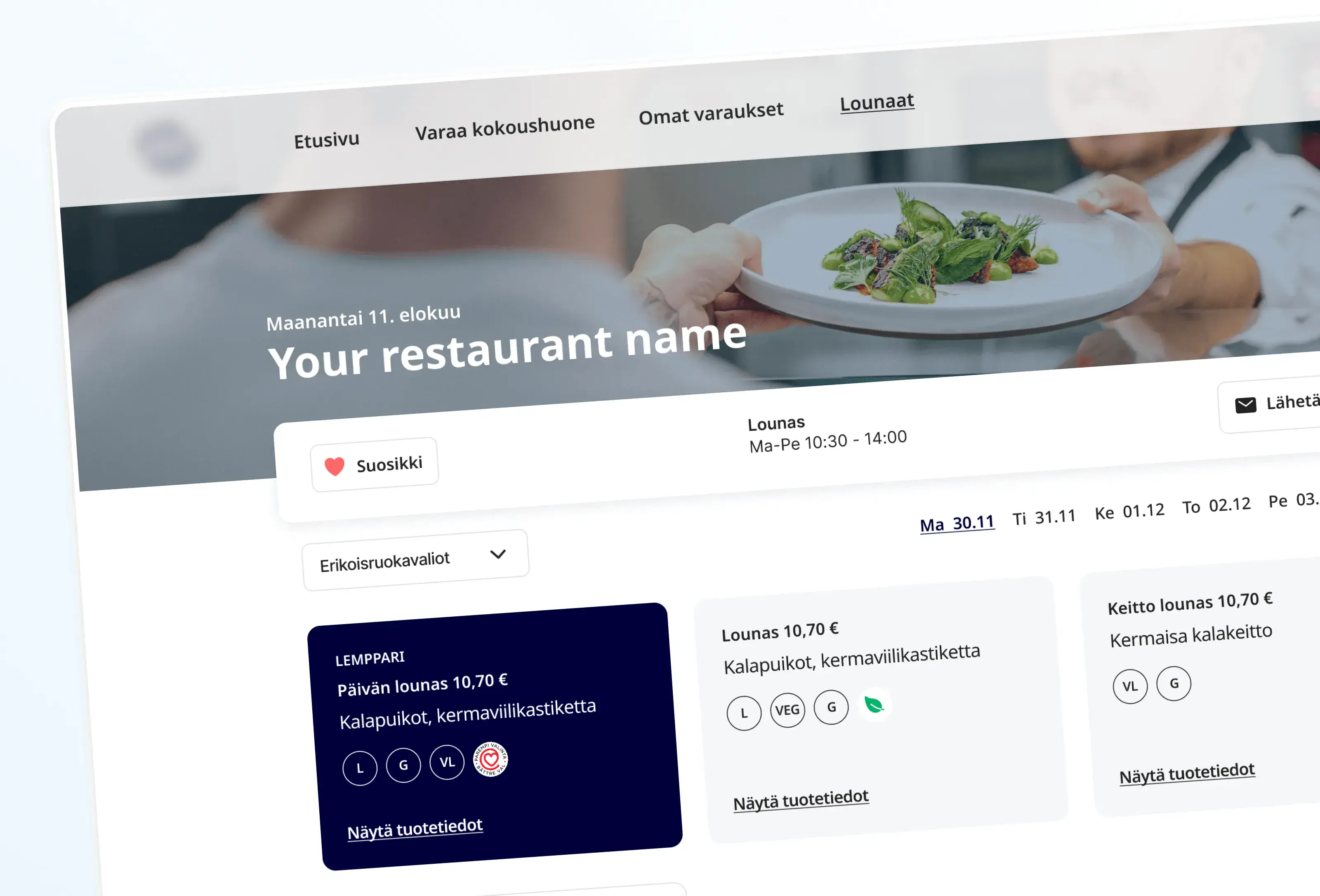
The client wanted to retire three legacy systems, one for room booking, one for lunch menus, one for general office operations, and replace them with a product people would actually choose to download.
To kick off the project, we explored every workflow, from room and hot desk booking to organising catering for large meetings. In the end, we narrowed it down to serve one persona: office worker, and scoped the first release around their most-used workflows.
Office worker JTBD when they visit the office:
•
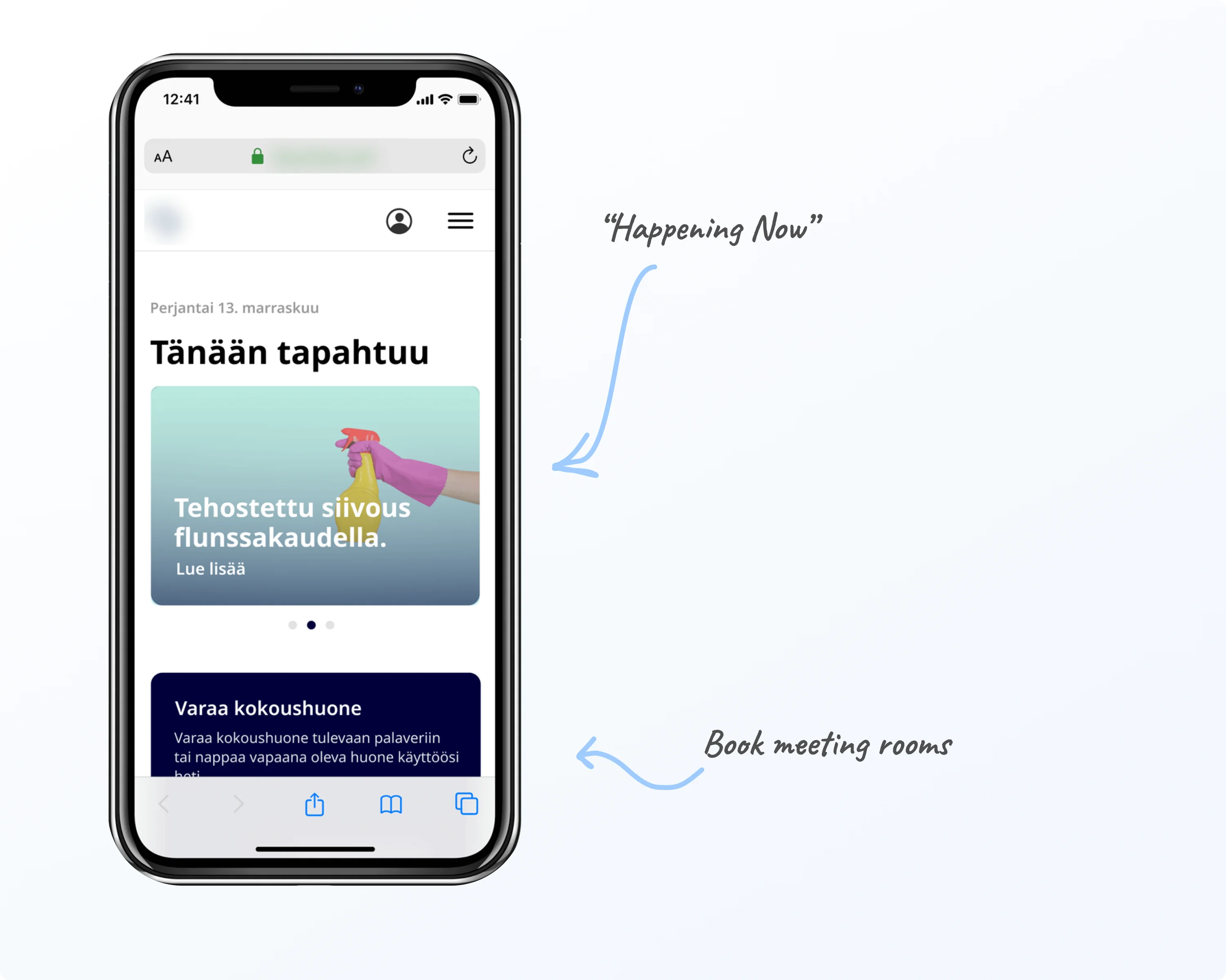
I want to know in advance if there are any events, maintenance work, or service disruptions, so that I can plan my visit accordingly.
•
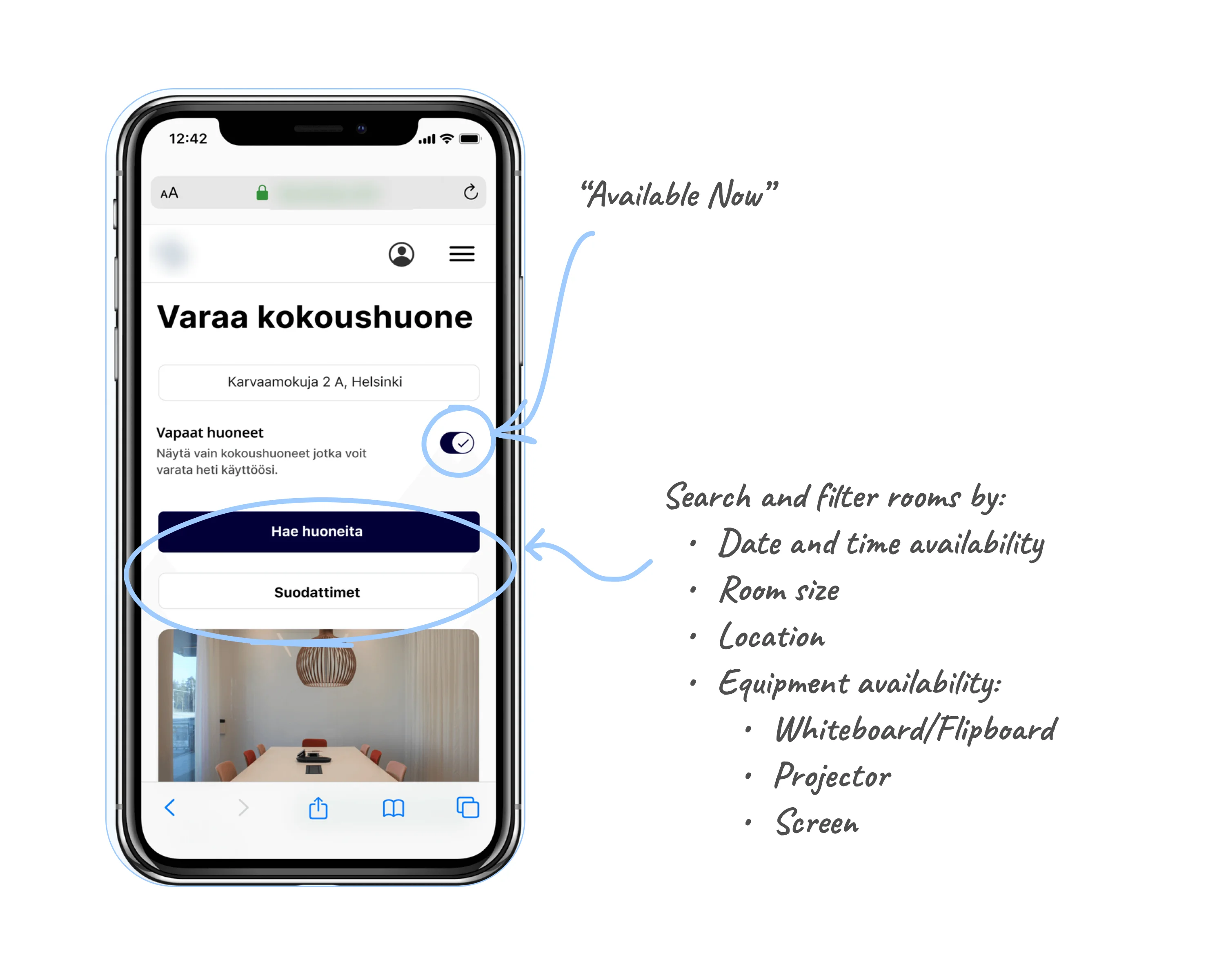
I need to book a meeting room, so that I can collaborate with my colleagues and clients.
•
I want to plan and go out to lunch with my teammates and clients, so that I can spend quality time with them.
These workflows built the scope of the project.
Design principles
My aim was to design for a global environment, ensuring the app was accessible on every device, from smartphones to large monitors and TV screens.
Three non-negotiable constraints shaped the design:
•
Accessible: I ensured everything followed WCAG AA standards.
•
Scalable: 8pt grid, 12-column layout, and a design system utilising a custom style of Material Design enabled the application to be scalable from office displays down to mobile.
•
Global: The interface was minimal and flexible, built to be white-labelled and localisable across every client brand and language.
Shipped on time, on scope, with the client's full buy-in.
The MVP bundled three key workflows into one product. The team shared positive feedback on the collaboration, pace, and scope, and the client was delighted with the visual polish for an MVP project.
The project became a blueprint for my future work: scope projects around real workflows, and bake in craft from the start.